The Costco App Redesign
This project was developed by me and a team of six, where I was the Project Manager, and we focused on redesigning the Costco mobile app to improve usability and overall user experience for 6 months. Throughout our research, we identified several pain points within the existing app—such as overwhelming layouts and inefficient navigation—that often lead to user frustration.
Our goal was to rethink the interface through a user-centered approach, implementing clearer structure, better accessibility, and more intuitive interactions. With thoughtful design updates, iterative testing, and usability-driven decisions, we aimed to create a smoother, faster, and more enjoyable shopping experience that helps users find what they need with confidence and ease.
My Role & Contributions
I focused primarily on application design, using Figma to translate user feedback into clean, intuitive interface layouts. My goal was to reduce friction, simplify navigation, and redesign the Costco mobile experience into something more structured, modern, and user-friendly.
Some of my core contributions include:
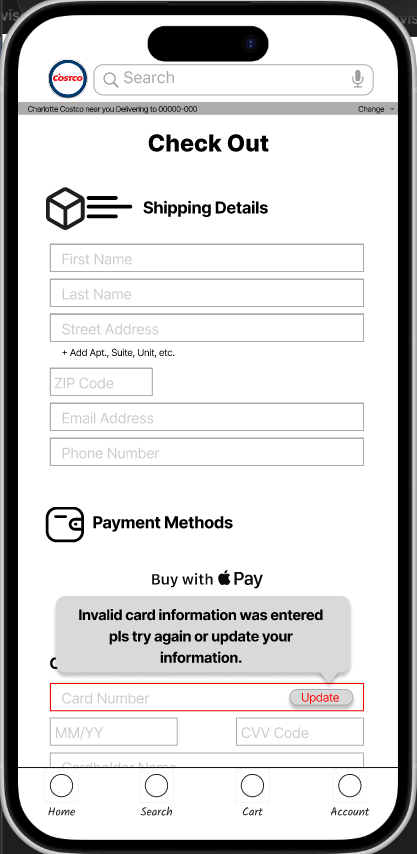
Checkout Page
Designed the final payment screen where users can enter card information, shipping details, and confirm purchases
Built error-state visuals to show users what an invalid card entry would look like, improving clarity and guiding correction
Structured the page to support a smooth checkout flow, reducing the time it takes to complete a purchase
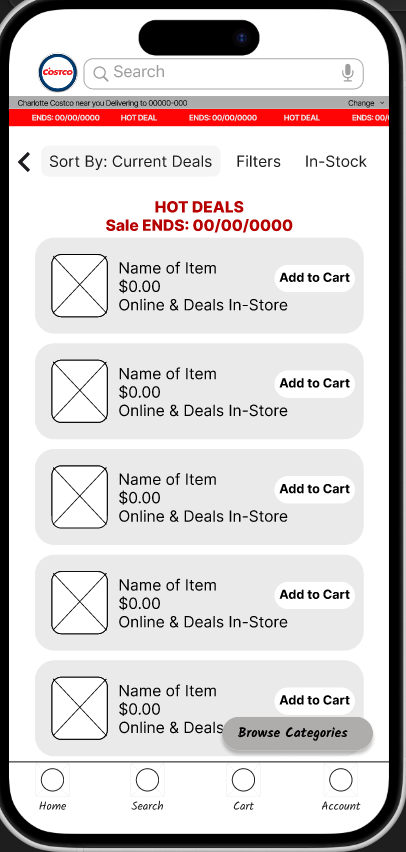
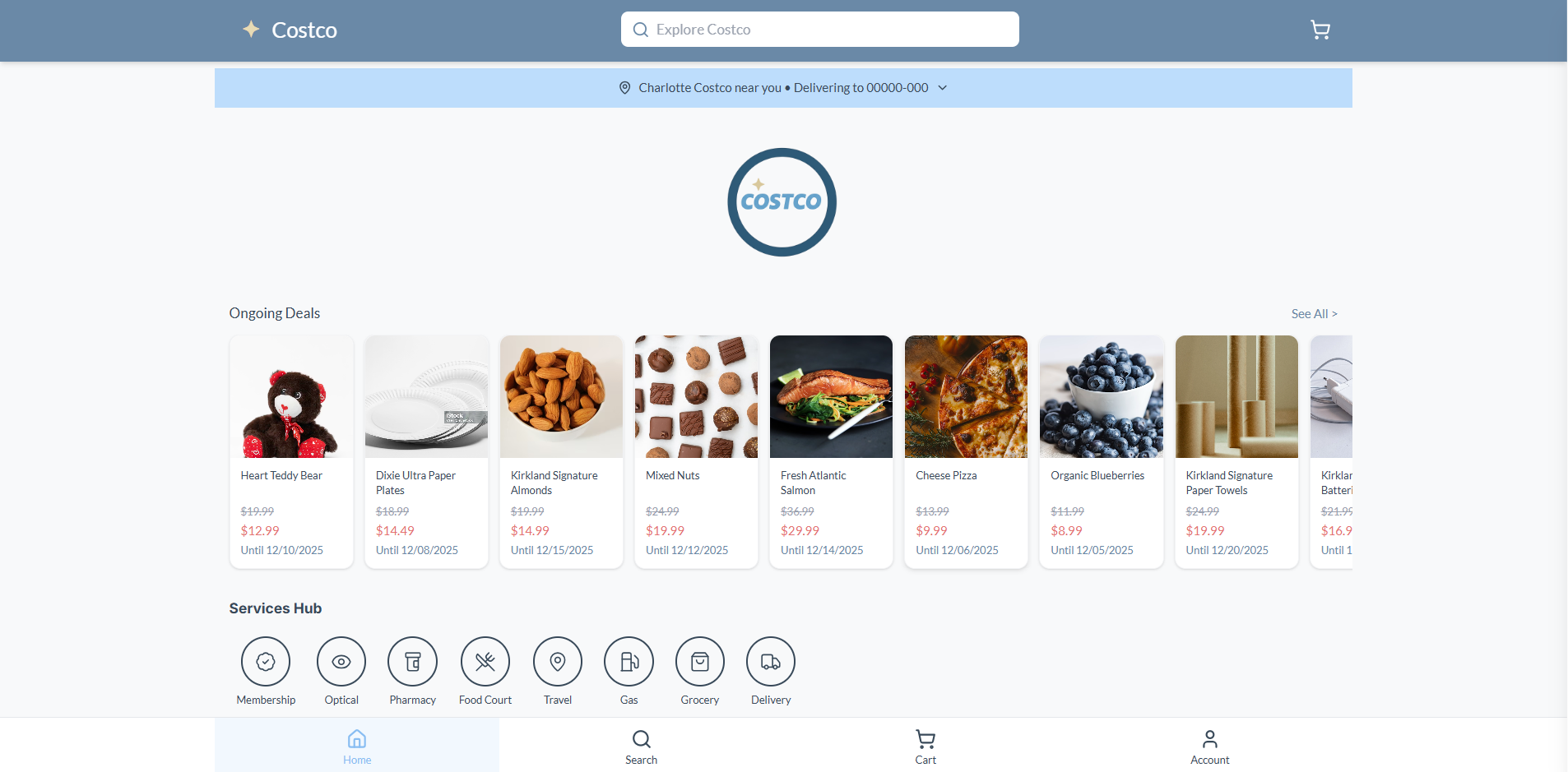
Ongoing Deals Page
Designed a dedicated layout to highlight current discounts and promotions
Focused on a clean product grid with clear pricing, item imagery, and call-to-action buttons
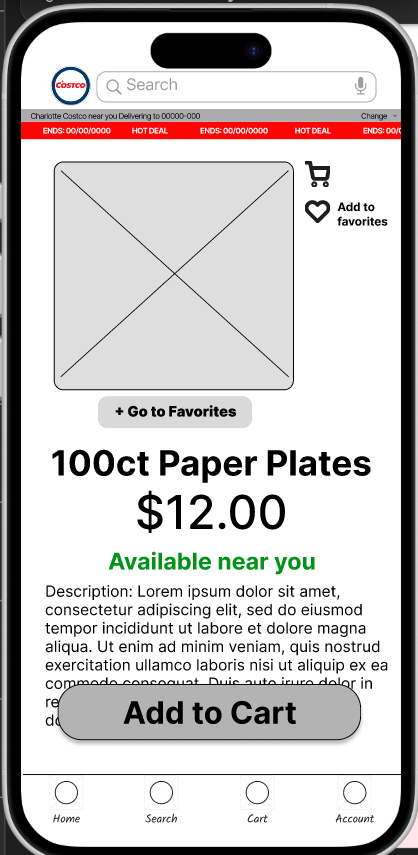
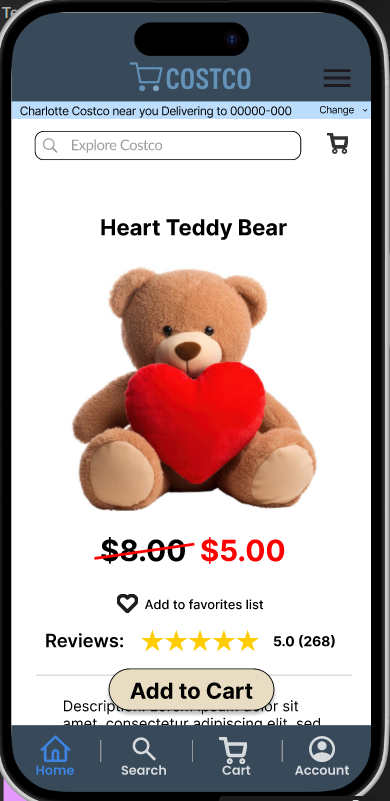
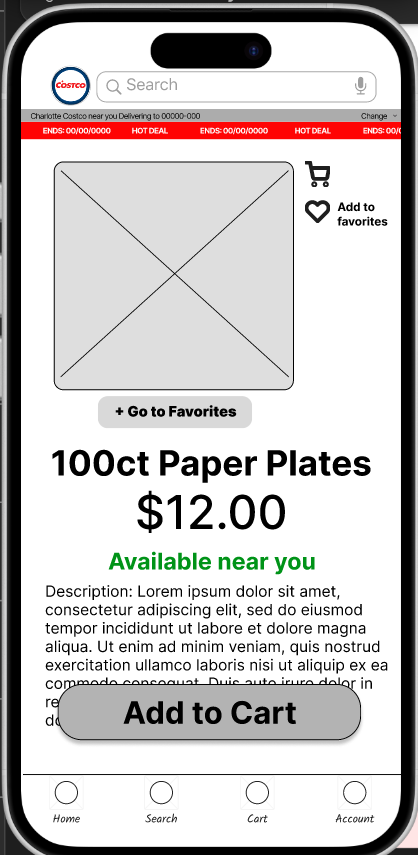
Item Page
Designed the product detail screen where users can view an item, check specifications, and read descriptions
Added the ability for users to save items to a list, making shopping more personalized and convenient
Structured the page to help users make decisions quickly with organized details, media, and action buttons
Early layout + Structure planning
Helped blueprint the overall app structure used across the redesign
Contributed to organizing the navigation system to move pages faster and more naturally
Overall, I focused on designing an application that is simple, user-friendly, and visually clear, with emphasis on functionality and quick navigation.
↓
My Jouney
What I Learned
Throughout this project, I realized how design and functionality work together to create a smooth user experience. I learned how to translate feedback into UI decisions, organize layouts for clarity, and structure screens that support real user needs. Using Figma, I gained confidence designing full application flows — not just individual screens — and learned how even small visual adjustments can improve usability.
Challenges I Overcame
Working in a team of six was new for me and definitely one of my biggest challenges. With more ideas, more opinions, and different working styles, communication became a key factor in keeping us aligned. I learned how to express design decisions clearly, take feedback constructively, and compromise when needed. On the technical side, applying my coding knowledge to real UI work was also a leap forward — understanding how design choices translate into development helped me grow on both ends.
Skills Gained
UI/UX Design using Figma
Designing full application flows (Checkout, Item view, Deals)
Creating error states and interaction patterns
Visual hierarchy + layout composition
Collaboration and communication in a large team
Applying design thinking to real usability issues
Final Website & Prototype
Here is the link to view our completed website:
Here is the link to explore our interactive Figma prototype:
Here is the link to our source code and development work: